Guide · File rescue
Storyline says this file is corrupted. Here’s what to do.
Storyline’s error doesn’t say what’s wrong or how much of the course is still there. The free diagnosis tells you both, and when the course structure survived, it rebuilds a .story file for you to try.
Free, with no account. The diagnosis runs in your browser.
What “corrupted” usually means
A .story file is a zip archive holding the XML files that describe the whole course. When Storyline says it’s corrupted, something in that structure didn’t survive intact. It’s almost always one of three things:
- An interrupted saveA crash, a forced shutdown or a lost network drive left the file cut short.
- A sync tool mid-saveOneDrive, Dropbox or a network share rewrote the file while Storyline was still writing it.
- A damaged zip directoryThe index Storyline uses to find everything in the archive broke, separately from the content.
The course content is often still recoverable.
Why Storyline won’t tell you more
Storyline’s open routine either reads the archive or shows one generic error, and it’s the same error whether ten bytes are missing or the whole file is lost. Before you spend time on autosaves, backups or IT, it helps to know whether this file is a five-minute fix or gone.
What to try first
- Check Storyline’s autosave. Storyline keeps a recovery copy alongside the working file, and offers to recover unsaved changes on the next launch. It may be a clean, more recent copy.
- Check the file finished copying. If it came from a network drive, OneDrive, Dropbox or an email attachment, copy it again straight from the source, after any sync has finished.
- Get a specific diagnosis. If neither turns up a working copy, run the free diagnosis. It says what’s wrong and how much of the course is still there.
What the diagnosis shows
- What’s actually damaged: a destroyed zip index, a truncated save, or a file that can’t be read
- How many slide files and other course files came back intact and verified, out of the total
- Whether story.xml, the file that ties every slide and setting together, is recoverable
- A rebuilt .story file when the structure survives, or the individual files that did
- A summary to paste into a support ticket, or email to yourself or IT
- Each recovered file proven byte-identical to what Storyline wrote, or repaired where it was safe to
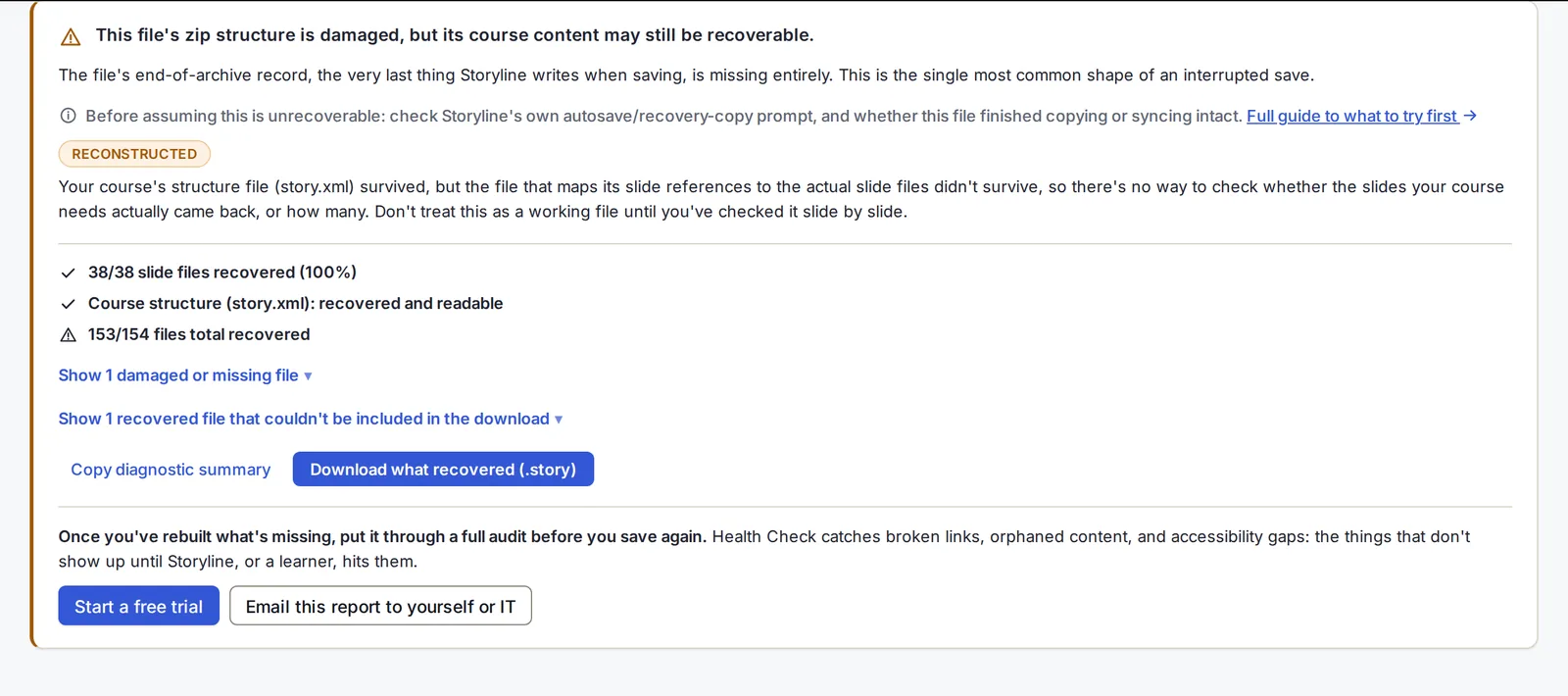
A rebuilt file is worth trying in Storyline, and anything that didn’t come back is a real gap. When the course structure is lost, the download is the files that survived, for rebuilding by hand or for a support ticket.