Guide · ADA Title II
Getting a library of Storyline courses ready for the ADA Title II deadline
Public colleges, universities and state and local agencies have until April 26, 2027 to bring their web content up to WCAG 2.1 AA. Smaller local governments have until April 26, 2028. For a team with years of Storyline courses, the first job is finding out where each one stands.
Health Check runs free on your own .story file. No signup.
What the rule asks for
In 2024 the Department of Justice adopted a rule under Title II of the Americans with Disabilities Act. It sets WCAG 2.1 Level AA as the standard for web content and mobile apps that state and local governments provide or make available, including public colleges and universities, school districts, and state and local agencies. An April 2026 update set these compliance dates:
- April 26, 2027State governments, and local governments serving 50,000 people or more. Public universities that are part of state government fall here.
- April 26, 2028Local governments serving fewer than 50,000 people, and special district governments, which can include some community college districts.
The rule has five exceptions, including archived content and documents posted before the compliance date. Whether any of your courses fall under one is a question for your ADA coordinator or counsel. This page isn’t legal advice.
Why a Storyline library is slow to check
Most teams have years of courses built by different people, and Storyline has no library-wide accessibility report. Checking alt text and captions by hand means opening every object’s accessibility settings, slide by slide and layer by layer, one course at a time, on a computer with a Storyline seat. For a 60-slide course that’s several hundred dialogs. For a library of 40 courses, it’s weeks.
What a file check finds, and what still needs a person
The .story file records alt text, captions, slide titles and player settings, so StoryAudit can report on those for every slide and layer. What only exists in the published course still needs a person with a screen reader.
From the .story file
- Alt text on every image, listed by slide
- Captions on every audio track
- Slide and scene titles, blank or repeated
- Player controls: skip navigation, playback speed, play/pause
Still needs a person
- Whether the alt text is any good
- Color contrast
- Reading order and focus order
- Keyboard operation, with no traps
- Captions on video
A clean report doesn’t mean a course meets WCAG 2.1 AA. It means the gaps that live in the file are closed, so the person testing with a screen reader can spend their time on the rest.
Checking a whole library in one pass
- 1Put the .story files for your courses in one folder.
- 2Run Batch Check on the folder. Every course gets a count of missing alt text and captions.
- 3Open any course for its full list by slide, and download a CSV for whoever does the fixes.
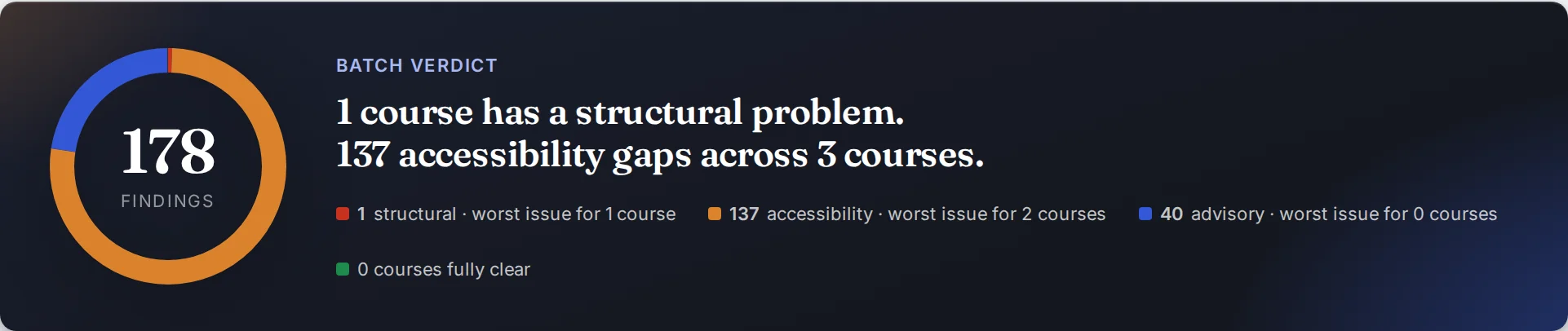
Batch Check can also hold every course to rules you set once, like closed captions on by default, accessible text mode on, or a minimum body text size.
Keeping a record for the audit file
- A work list per courseA CSV of every missing alt text and caption, by slide, for the developer who fixes it.
- Waivers with a reasonWhen a gap is intentional, like a decorative image, waive it with a reviewer name and date. The review record PDF keeps both.
- Proof a fix landedCompare the old and new file, and the Accessibility changed banner shows the alt text and captions before and after.
For your IT security review, the security page covers how StoryAudit handles course files, with a draft data processing agreement.
Where to start
- Check one course free. Drop a .story file into Health Check. No signup and nothing to install.
- Run the library. Start a free trial and point Batch Check at your course folder for a gap count on every course.
- Hand out the work. Send each course’s work list to the developer who owns it, then run the folder again to see the count go down.