Guide · .story files
What’s inside a .story file, and how to open one without Storyline
A .story file holds a whole Storyline course. This guide explains what’s in one and how StoryAudit opens it in a browser, with no Storyline license, to show the text, quiz answers, media and settings.
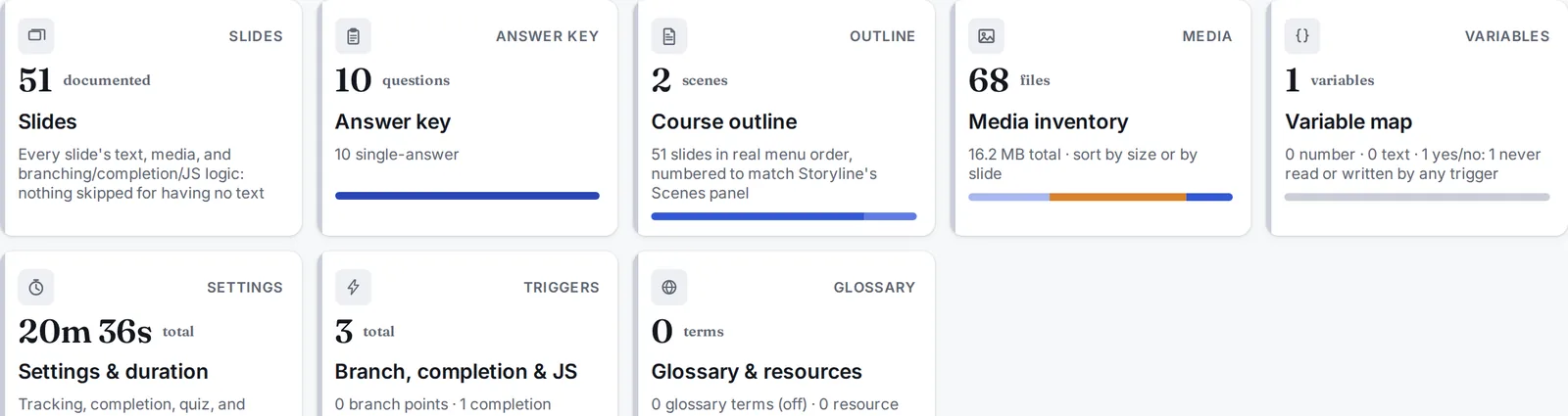
Every number on the right comes from the 51-slide demo course, which opens with no signup.
What a .story file is
A .story file is the source project Articulate Storyline saves while a course is being built: every slide, layer, trigger and quiz question with its correct answer, all the on-screen text, and references to every image, audio and video file. The course a learner sees is the published output, usually a folder of HTML and SCORM files, which Storyline generates from the .story file.
Structurally, a .story file is a zip archive holding XML files that describe the course. Software other than Storyline can read it, if it knows Storyline’s XML structure, its trigger and variable model, and its layers.
What you get if you rename it to .zip
Renaming a .story file to .zip and extracting it gives you a folder of XML files with Storyline’s own tag names, its own ID scheme for linking slides and triggers, and its own encoding for answer correctness and variable logic. The text on slide 12 and the correct answer to question 4 are spread across several of those files.
That’s where most reviewers get stuck. Reading it takes a tool that knows Storyline’s structure, the way a spreadsheet app turns the XML inside an .xlsx file into a grid.
Your options
- Get a Storyline licenseThe slowest and most expensive option for reviewing one course, and it usually needs someone else’s approval.
- Ask for the published courseYou can click through it. Getting the answer key, the full text in reading order or the alt text out of it is hard, and every change means publishing again.
- Use a tool that reads the .story fileStoryAudit reads the file in your browser and turns it into what a reviewer, translator or LMS admin needs, with no Storyline license.
What you get from one .story file
- Every slide’s on-screen text, media and interactions, in reading order
- The quiz answer key with correct answers marked, and any question type it can’t read listed for checking by hand
- A health check for missing alt text and captions, broken jumps and orphaned slides
- With two versions, a changelog of exactly what changed, quiz answers included
- The wording fixed line by line, sent back as one file Storyline imports
- The whole course as an editable PowerPoint deck, plus text, PDF and CSV exports
How it works
- 1Open StoryAudit and drop in the .story file.
- 2Go to Course Docs and pick a view.
- 3Read it there, or export it.
File won’t open at all? See what to do when a .story file is corrupted.