NewHandouts and study guides from any Storyline course →
For everyone who builds, reviews or signs off on a Storyline course
Review, compare and document Storyline courses from the .story file.
See what changed since the last round, catch what's broken before anyone publishes, and hand reviewers the answer key, the audio or an editable PowerPoint deck.
The demo needs no signup. Works with Storyline 2, 3 and 360 files.
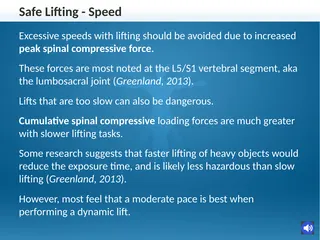
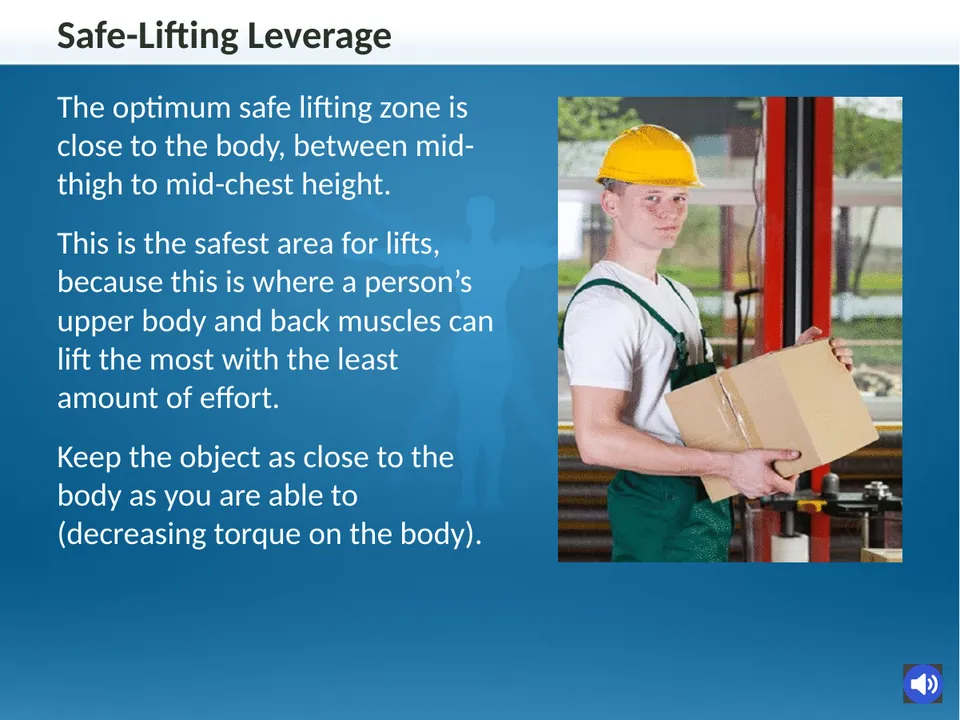
Real slides from the demo export
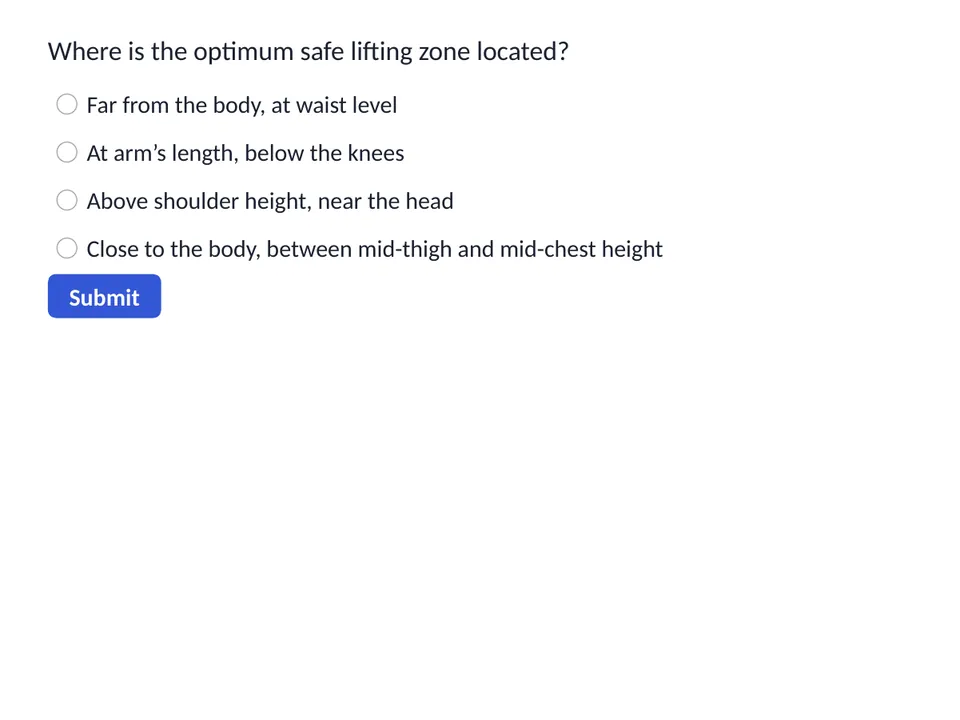
Answer keyQuestion 1 of 10
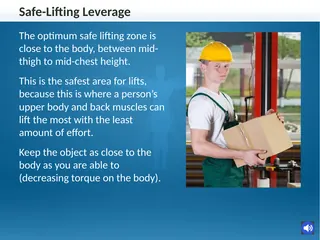
Where is the optimum safe lifting zone located?
Close to the body, between mid-thigh and mid-chest height
- No Storyline license neededAnyone on the team can open the .story file.
- Storyline 2, 3 and 360Reads the .story project file itself.
- A real demo course51 slides, open in one click, no signup.
- Tested on every releaseAutomated checks against real Storyline courses.
The exports Storyline teams keep asking for
Each one comes straight from the .story file. No publishing, no screenshots, no retyping.
PowerPoint export
The whole course as an editable PowerPoint deck
Each slide and layer becomes an editable slide with real text, shapes, pictures and tables. Narration, notes and quiz answers go in the speaker notes.
- Storyboards
- Classroom sessions
- SME markup
- Legal and translation review
Asked for on the Storyline community forum for more than a decade.
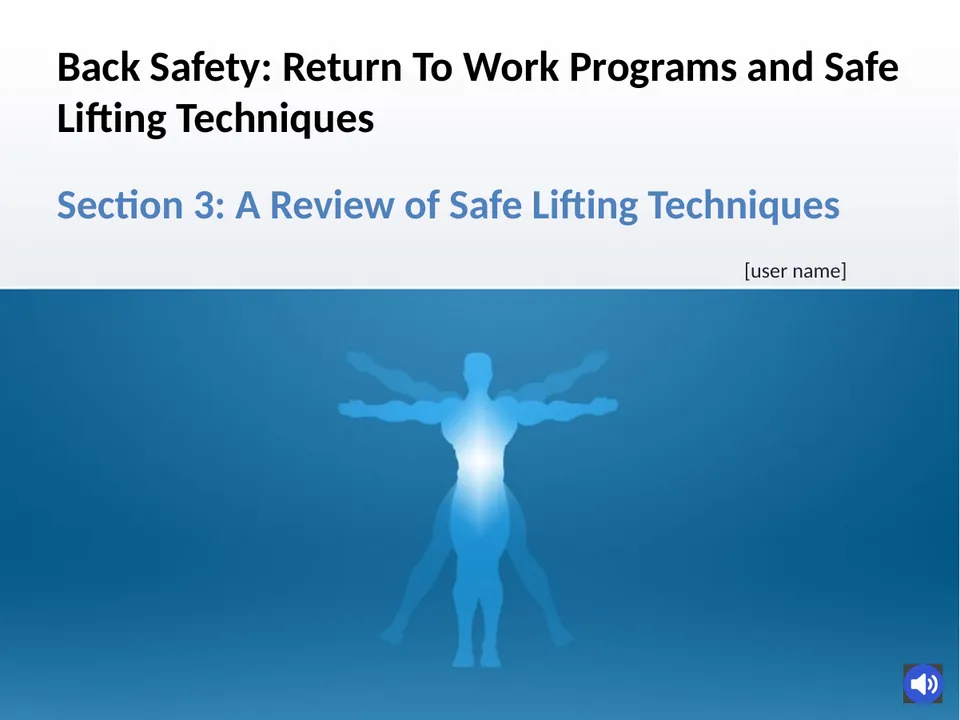
Handouts and study guides New
Handouts and study guides, printed from the .story file
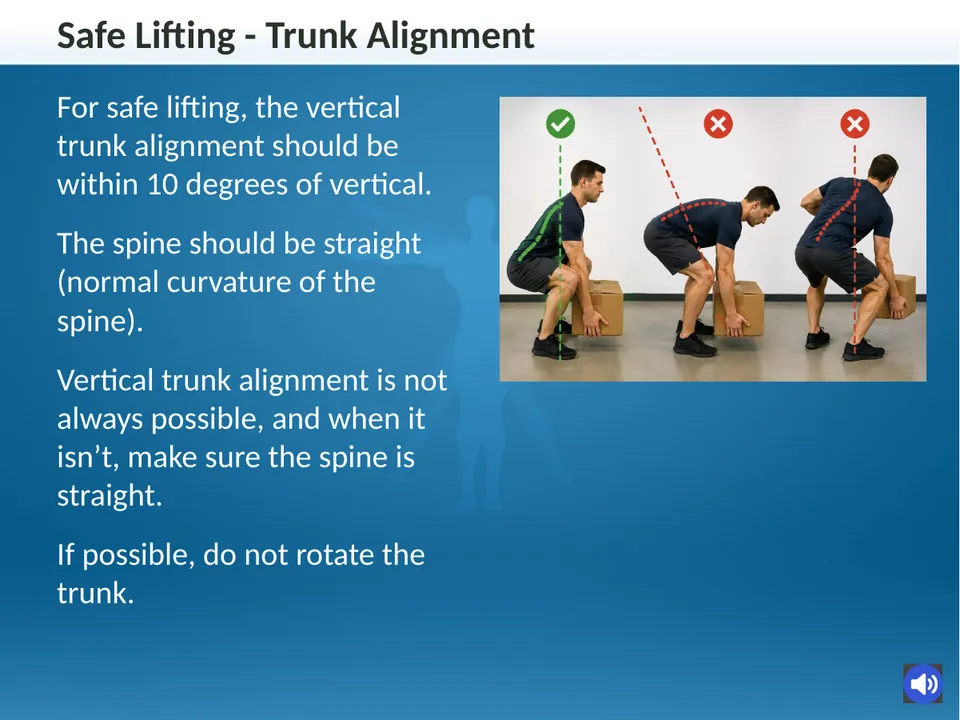
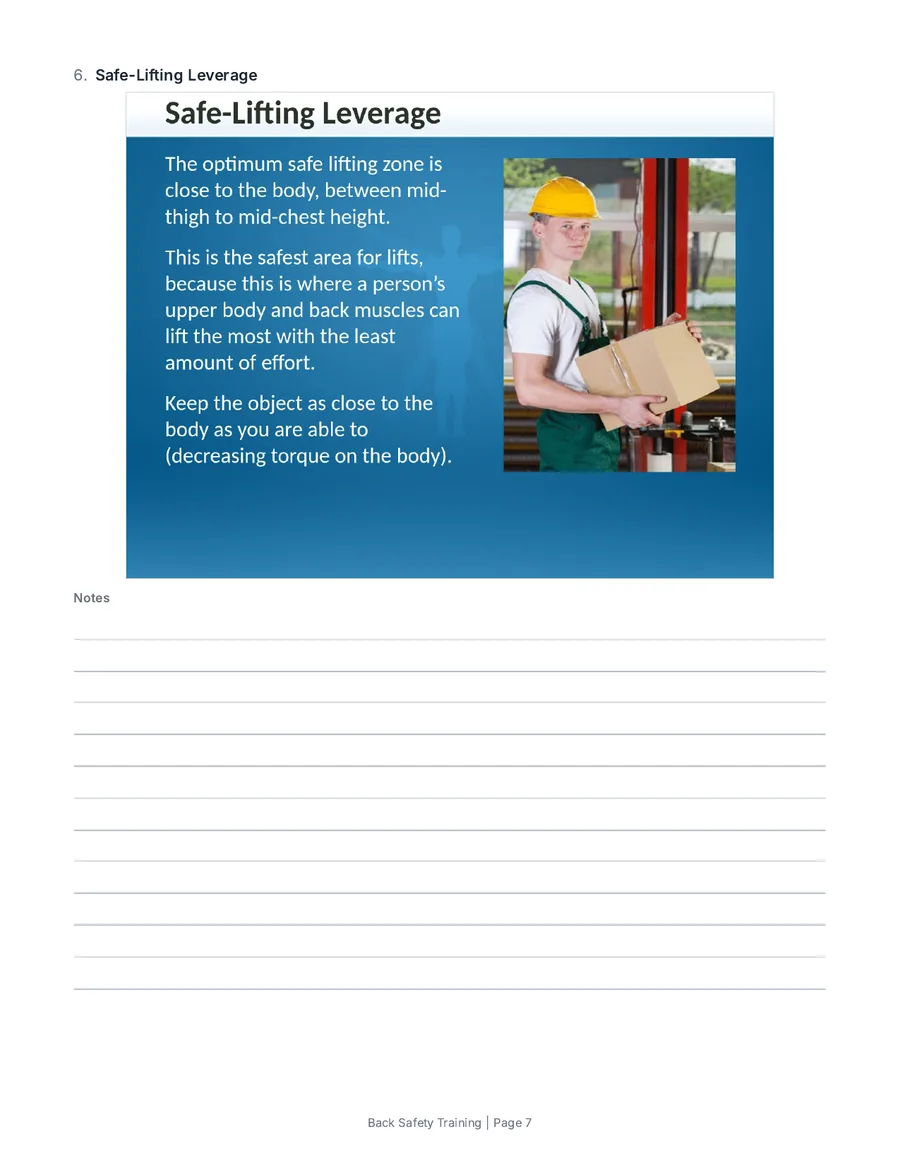
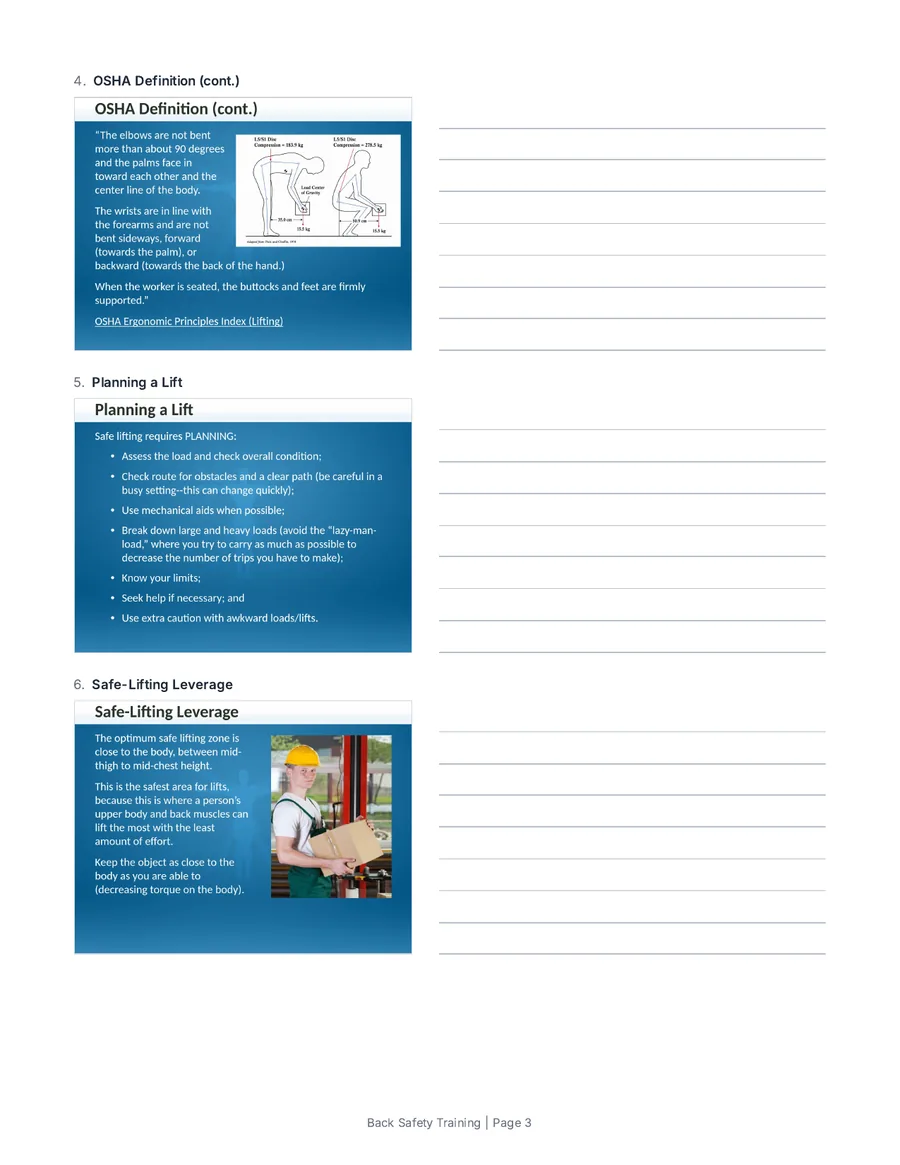
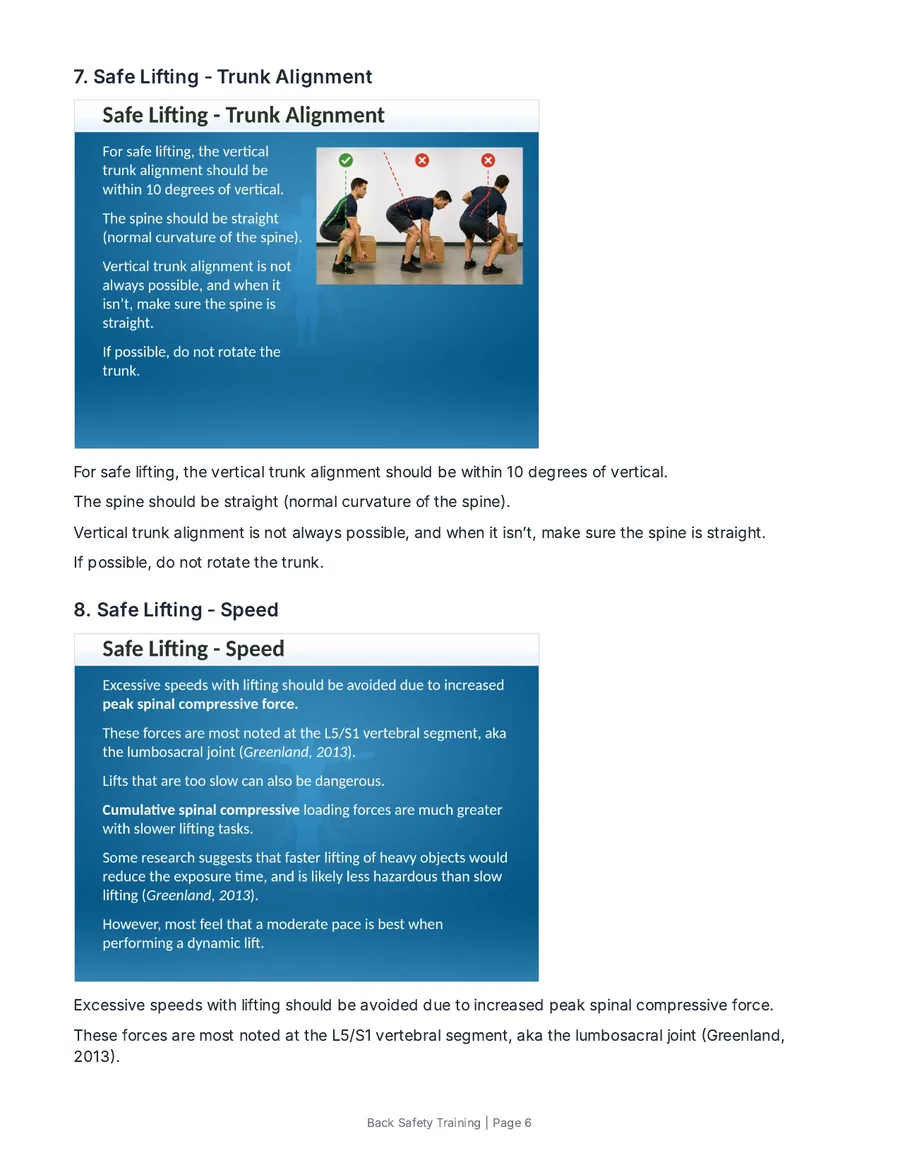
Slides with lines for notes, three slides a page, or a study guide with each slide’s words and the knowledge checks. A learner or instructor edition, as Word or PDF.
File rescue Free
A file Storyline says is corrupt
See what went wrong and how much survived. When the structure comes back, download a rebuilt .story file. No account needed.
Answer key
Every quiz question, correct answers marked
As a PDF, a CSV that opens in Excel, or Moodle XML.
Compare
What changed since the last round
Two versions in, a slide-by-slide changelog out: wording, answers, images, triggers and settings.
Media
Every audio, image and video file
One zip, with the names shown in Storyline’s media library, plus a list of the slides each one is on.
Stop publishing just so someone can look
One person opens the .story file in StoryAudit and sends each reviewer what they need: the reviewer copy, the PowerPoint deck or a PDF. Reviewers don’t need an account, and the developer gets back one list of what changed and one file of wording fixes.
Open the .story file
No publishing, no LMS upload. One person drops the file into StoryAudit, with no Storyline license needed.
Send each reviewer their part
SMEs get every slide and answer in the reviewer copy or the deck. Designers get what changed since sign-off. Testers get the broken jumps and missing alt text as a PDF or CSV.
Fixes come back in one import
Wording fixes go into Text Fixes and reach the developer as one file Storyline imports in one step. Next round, Compare shows exactly what changed.
What changed this round From the live demo
Back Safety Training · version 1 compared with version 2
7 slides changed · 44 unchanged
- TextWording changed on the slide “A Review of Safe Lifting Techniques”
- ImageImage swapped on the slide “Shaking or Quivering of Muscles (Signs of Physical Effort cont.)”
- Alt textAlt text added on the slide “Safe-Lifting Leverage”
- BrokenA new trigger on the slide “Correct Speed” jumps to a slide that no longer exists
- SettingCourse setting “Playback speed control available to learner” changed from Yes to No
- QuizThe correct answer changed on “When developing return-to-work programs for moving loads, which approach is generally preferred?”
One file, a different job for each person
SMEs, designers, testers, translators, trainers and developers each get what they came for, from the same .story file.
SMEs and editors
Read it, mark it up, fix the words
- The course as a PowerPoint deck to read and mark up
- Every slide's text, including layers learners only see after a click
- Every quiz question with the correct answers marked
- Fix the wording straight from the .story, and the developer imports it in one step
Instructional designers
Check it against the plan
- What changed since the last round, slide by slide
- An outline numbered to match Storyline's scenes and slides
- Whether a learner can reach completion while skipping content
- Findings waived once, with a name and a reason
Testers
Find what's broken before the next round
- Broken jumps, slides nothing links to, and layers nothing opens
- Missing alt text and captions, slide by slide
- Placeholder text, spelling slips and dead air
- Findings as a PDF or CSV the developer can work from
Translators and voice talent
Get the words and audio out, and check them back in
- Every audio file in one zip, with a list of the slides each one is on
- A two-column translation template of every slide's text
- The translated XLIFF checked before import: gaps, variables, overflow and lines translated two ways
Storyline developers
Hand off a round without publishing it
- Send reviewers a PDF, the PowerPoint deck or the reviewer copy
- Compare the new version to the one reviewers signed off
- Diagnose a file Storyline says is corrupt, free
- Check a whole folder against rules you set once
Trainers and instructors
Take the course into the room
- Handouts with lines for notes, one or three slides a page
- A study guide with each slide’s words and the knowledge checks
- An instructor copy with the answers marked, as Word or PDF
Six tools. One .story file.
Everything above comes from these. All six are open in the demo course.
See what changed
Two versions in, a readable changelog out: text, answers, triggers, layers, captions and settings.
Find problems
Broken jumps, slides nothing links to, missing alt text and captions, and the shortest path to completion. Run it free on your own file in the demo. Results from a free run can’t be saved or exported without the trial.
Get the course out
The PowerPoint deck, handouts and study guides, every slide's text, the answer key, a numbered outline and all the media, ready to hand off.
Check a folder
A folder of .story files in, one table out, checked against rules you set once.
Check a translation
Load the XLIFF Storyline exports and see what's translated, what isn't, where a variable or an overflow will break a slide, and where the same line got two different translations.
Fix the wording
Drop the .story and fix any line of text in the browser. The developer imports every fix into Storyline in one step.
Also in every plan
Everything StoryAudit does →Show the full list
Review and sign-off
- Waivers recorded with a name and a reason
- A review record PDF for each round
- Snapshots to compare against later
Inside the course
- Course settings: tracking, completion, pass score
- Estimated seat time
- Glossary and resources lists
- Every completion and JavaScript trigger
- Text and image search across slides
Quality checks
- Shortest path to completion
- Placeholder text, spelling and terminology
- Dead air at the end of audio and video
- Style rules for fonts, sizes and colors
- Readability scores
Exports and handoff
- Answer key as Moodle XML
- Captions as .vtt files
- One-file reviewer copy anyone can open
- PDF, HTML, CSV and JSON reports
- Folder rules, settings consistency and media reuse
Storyline, Review 360 and StoryAudit do different jobs
Use Review 360 to comment on the published course. Use StoryAudit to get everything out of the .story file.
| What you need | In Storyline | In Review 360 | In StoryAudit |
|---|---|---|---|
| An editable PowerPoint deck of the course | No | No | YesEvery slide and layer |
| Handouts and study guides to print | PartlySlide pictures and notes to Word | No | YesSix layouts, two editions |
| Every layer and quiz answer in one place | PartlyOne slide at a time | PartlyOnly the paths you click | YesAll listed |
| What changed since the last round | No | NoEarlier versions, no diff | YesSlide by slide |
| Works before anyone publishes | Yes | No | YesStraight from the .story |
| Every media file, with the slides it's on | PartlyMedia Library export in 360 | No | YesAny version, with a manifest |
| Wording fixes from reviewers | PartlyTyped in by the developer | PartlyComments only | YesImported in one step |
| Accessibility check | YesIn Storyline 360 | No | YesA whole folder at once |
| Comments on the learner experience | No | Yes | NoUse Review 360 |
Private, tested, and ready for your IT team
Read in your browser
- The .story file is opened in the browser tab, not on a server
- Every export is made there too
Tested on every release
- Automated checks run against real Storyline courses before every release
- Storyline 2, 3 and 360 project files
Ready for your IT review
- Sign in with Google, Microsoft or email
- SSO and invoicing on Enterprise
- A security overview and a draft DPA
Every tool, every export, every file
Nothing is held back for an add-on or a consulting job. Everything StoryAudit can check, fix or export is in the app from the first day of your trial.
Try it on your worst Storyline course. Then decide.
or $228/year ($19/mo)
For one person who runs the checks and sends the reports. The people reading them don't need an account.
7-day free trial, card needed. No charge until day 8.- Every tool, including the PowerPoint export
- No course-count limit
- PDF, HTML and CSV reports anyone can open
or $180/person/year ($15/mo)
2-person minimum ($40/mo to start) · everyone gets their own login · 7-day free trial, card needed Piloting solo first? Start on Individual and move to Team later.- Everything in Individual, for each person
- Each person opens course files and fixes wording themselves
- Sign-off and waivers recorded by name
- Shared review decisions across your team
10-person minimum ($2,500/year). Over 50 people? Ask about volume pricing.
Billed yearly by invoice or purchase order · dedicated onboarding · security review support- Everything in Team
- Single sign-on through your company’s identity provider (Okta, Microsoft Entra ID, Google Workspace and others)
- 99.9% monthly uptime SLA available
Prefer to read first? DPA (draft) · Security overview.
Need something bigger? See our Enterprise plan or security overview.
Questions
Is the PowerPoint deck really editable?
Yes. Text comes across as real PowerPoint text, and shapes, pictures and tables as PowerPoint objects. Every layer becomes its own slide, and narration, notes and quiz answers go in the speaker notes. Animations, triggers and variables stay in Storyline. Details: how the PowerPoint export works.
We already use Review 360. Why add this?
Review 360 is good for comments on the published course. StoryAudit reads the .story file itself, before anyone publishes: every layer and quiz answer, what changed since the last round, the PowerPoint deck and the media. The two work well together.
Why not use Storyline's own Publish to Word, Media Library or Accessibility Checker?
Keep using them. They run inside Storyline, one project at a time, for whoever has it open. StoryAudit adds what they don't: an editable PowerPoint deck, handouts and study guides with the knowledge checks, a changelog between versions, every media file with the slides it's on, and checks across a whole folder, for everyone on the team.
Does StoryAudit upload my course files anywhere?
No. Every .story file is read in your browser, and every export is made there too. Details: security overview.
Do I need Storyline to use it?
No. StoryAudit reads the .story file in your browser. Whoever builds the course still uses Storyline to publish it and to import wording fixes. (StoryAudit is not affiliated with Articulate Global, LLC.)
Can reviewers change the text themselves?
Yes, with a StoryAudit login. In Text Fixes, drop the .story file, fix any line and download one file. The developer imports it with Storyline's own translation import, and only those lines change. Formatting and variables stay as they are. How it works.
Storyline says my file is corrupted. Can StoryAudit help?
Often, yes, and it's free with no signup. StoryAudit reads the file at the byte level, names the cause and reports how many slides survived. When the course structure comes back, you can download a rebuilt .story file to try in Storyline. Diagnose a file.
Which versions of Storyline does it support?
Storyline 2, 3, and 360. It needs the original .story project file, not published SCORM or xAPI output.
Who needs a login?
Anyone who opens course files in StoryAudit. People who only read what you send them, like a PDF or a reviewer copy, don't. On Individual, one person runs the checks for everyone. On Team, each person gets their own login and signs off by name.
Can I try it before paying?
Yes: every account starts with a 7-day free trial. It takes a card at signup, and nothing is charged until day 8. Want zero commitment first? Try the live demo, no signup or card. On your own files, Health Check runs free, Translation Check opens your XLIFF to view, and Text Fixes lets you fix up to 3 lines, but results can't be saved or exported without the trial.
Show 6 more questions
What happens when StoryAudit flags something that isn't actually a problem?
Mark it reviewed once, with a reason. It stays waived for that course from then on, and your whole team sees the same waiver.
What can I do with one file, two files, or none?
One file: Health Check, Course Docs, the PowerPoint deck and Text Fixes. Two versions: Compare's changelog. A whole folder: Batch Check, on any plan. No course file: Translation Check reads the XLIFF export, and so does Text Fixes.
How does this work for a whole team?
Switch the pricing toggle to Team: $20 per person per month, 2-person minimum, same 7-day trial. Everyone gets their own login. See what each role gets. Need invoicing? Choose Enterprise.
What browsers does StoryAudit work in?
Current versions of Chrome, Edge, Firefox, and Safari. Built for a desktop or laptop browser; small screens aren't the focus yet.
Is there a CLI or API?
Not yet. StoryAudit does all its work in the browser, so there’s no server-side engine for an API to call. Batch Check covers most pipeline needs today: sweep a folder against saved rules and export CSV or JSON. A CLI is on the roadmap; email support@storyaudit.app if it would unblock your team and we'll tell you where it stands.
Do you support SSO / SAML?
Every plan signs in with Google, Microsoft or email. Enterprise adds single sign-on through your company’s identity provider (Okta, Microsoft Entra ID, Google Workspace and others, over SAML or OIDC), so your IT team controls who can sign in. Email support@storyaudit.app to set it up.
See it on a real Storyline course
The demo opens a 51-slide Storyline safety course with every tool ready, including the PowerPoint export, with no signup or card. On your own files, Health Check runs free, Translation Check opens your XLIFF to view, and Text Fixes lets you fix up to 3 lines, but results can’t be saved or exported without the trial. Everything else on your own files needs the 7-day free trial.
Questions? Email support@storyaudit.app.