Guide · Course Docs and Health Check
Storyline course not completing in the LMS
Learners finish and the LMS still says incomplete. The cause is usually in the course's tracking settings, and the .story file shows it before you republish.
Health Check flags tracking problems on your own .story file for free. No signup.
How Storyline reports completion
Tracking is set when you publish for an LMS, under Reporting and Tracking. The Tracking tab has three options, and you can choose more than one. Whichever the learner meets first is what Storyline reports.
- Slides viewedA number or percentage of slides, counted against all slides or only those with slide numbers.
- Quiz resultThe result from a results slide you select.
- Completion triggerA Complete course trigger you add to the course.
For SCORM and AICC, LMS Reporting sets the status words the LMS receives, such as Passed/Incomplete or Completed/Failed.
Why it doesn't complete
- Health Check
Tracking waits for a trigger that isn't there
Tracking is set to the completion trigger only, and no slide, layer, layout or master has a Complete course trigger. The LMS never hears the course was finished.
Fix: Add the trigger where the course should count as finished, or add slides viewed as a second tracking option.
- Course Docs, Health Check
The trigger is somewhere learners don't reach
The Complete course trigger sits on a layer nothing opens, on a slide off every path, or behind a condition that never comes true.
Fix: Move it to the slide every path ends on. Course Docs lists every Complete course trigger and the slide it's on.
- Course Docs, Health Check
The slide count can't be met
Tracking needs more slides viewed than a learner sees. Branching courses and slides nobody can reach are the usual reasons.
Fix: Lower the number, or count only the slides with slide numbers. Course Docs shows the count and what it's counted against.
- Health Check
Quiz tracking has nothing to report
Tracking uses a quiz result, but the course has no results slide, or the one selected isn't the one learners finish on.
Fix: In Reporting and Tracking, select the results slide learners reach.
- Course Docs
The LMS expects a different status
Some LMSs count Completed and ignore Passed, or the other way round.
Fix: Set LMS Reporting to the pair your LMS expects and republish. Course Docs shows the setting from the last publish.
- LMS test
The package doesn't match the LMS
The course was published for a different standard than the LMS uses (SCORM 1.2, SCORM 2004, xAPI, cmi5 or AICC), or an LMS setting overrides it.
Fix: Publish for the standard your LMS supports, then test the package in SCORM Cloud.
Check it from the .story file
- 1Drop the .story file into Health Check.
- 2Open Course Docs, then Settings.
- 3Fix it in Storyline, republish and test.
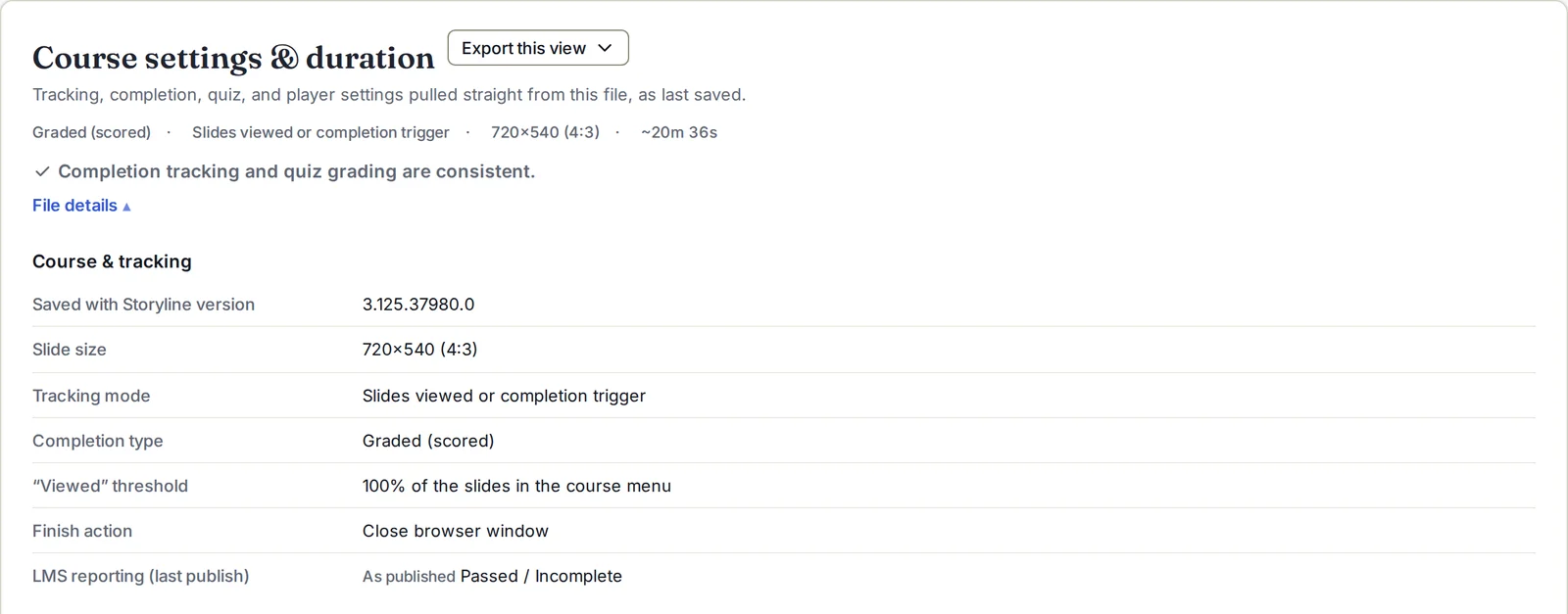
No Storyline license needed. Health Check also traces the shortest path to completion, so you can see whether a learner can finish without the content.
Then test it once in the LMS
Upload the published package to SCORM Cloud or your LMS's test area. Complete it once, fail it once, and check the status recorded each time. If it completes in SCORM Cloud and not in your LMS, the LMS setup is the place to look.